![Engagedly dark.png]](https://help.engagedly.com/hs-fs/hubfs/Engagedly%20dark.png?height=31&name=Engagedly%20dark.png)
Recognize employees, peers, or leaders by awarding points for their contributions and achievements.
📒Note: Employees can award points only if admins enable permission.
Option 1: From the app
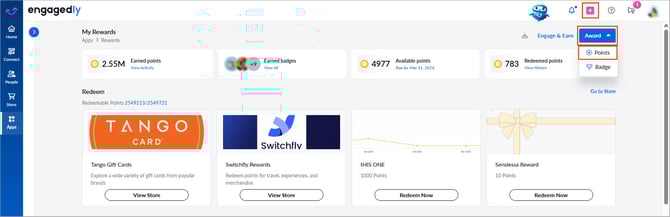
Navigate to Apps > Rewards.
- Open the Award drop-down at the top right and select Points.
Option 2: From quick action
-
Click the Plus
 icon at the top right and select Award Points.
Award points
- Search and select the employee name.
- Enter the points.
- (Optional) Enter the reason.
- Click Generate to create a message with Marissa AI, or enter one manually.
Click Regenerate if the message does not meet your expectations. - Search and select the employee's name to share with others.
- (Optional) Enable Notify via email.
- Click Award.
📒Note: Admins may set “Everyone” as the default audience in the “Share With” field. You can change the audience while awarding points, if required.