![Engagedly dark.png]](https://help.engagedly.com/hs-fs/hubfs/Engagedly%20dark.png?height=31&name=Engagedly%20dark.png)
Admins can define the default visibility for recognition posts when employees award points and badges. When enabled, the “Share With” field is automatically set to “Everyone”, ensuring broader visibility across the organization.
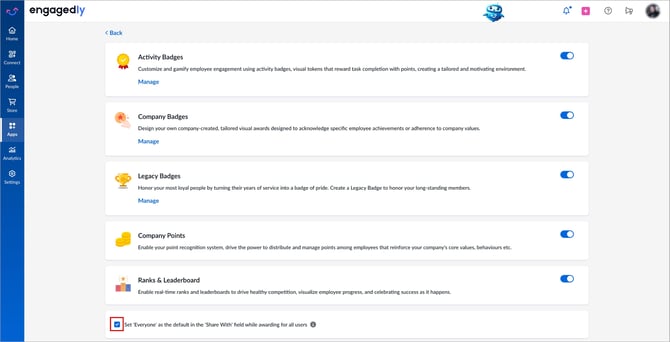
Navigate to Apps > Rewards > Settings.
- Scroll down to the Ranks & Leaderboard section.
- Select Set ‘Everyone’ as the default in the ‘Share With’ field while awarding for all users.
The changes are auto-saved.
📒Notes:
- Employees can still modify the “Share With” audience while awarding points or badges. To learn more, refer to Award points and Award badges.
- The setting applies to all employees across the organization.