![Engagedly dark.png]](https://help.engagedly.com/hs-fs/hubfs/Engagedly%20dark.png?height=31&name=Engagedly%20dark.png)
The goal owner, creator, or assigner can reassign a goal to a different owner only if the organization allows individual contributors to copy, assign, and cascade goals. After you reassign the goal, you become the goal assigner and can continue to manage it. For more information, refer to Manage a goal.
Navigate to Apps > Goals.
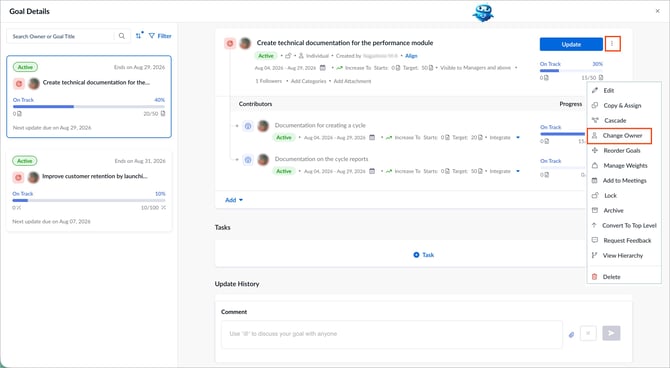
- Open the goal you want to manage.
- Click the Overflow
 Menu at the top right of a goal.
 - Select Change Owner.
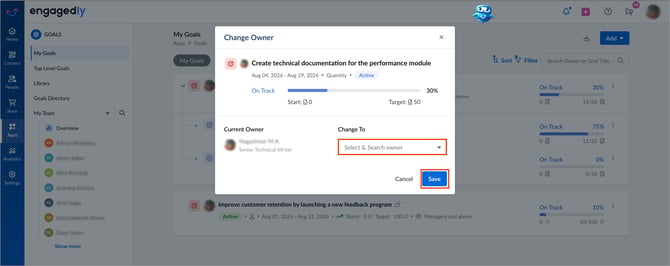
The system displays the current goal owner.
4. In the “Goal Owner” field, search for and select the new goal owner.
5. Click Save.