![Engagedly dark.png]](https://help.engagedly.com/hs-fs/hubfs/Engagedly%20dark.png?height=31&name=Engagedly%20dark.png)
By default, only admins can create general surveys and engagement in the organization.
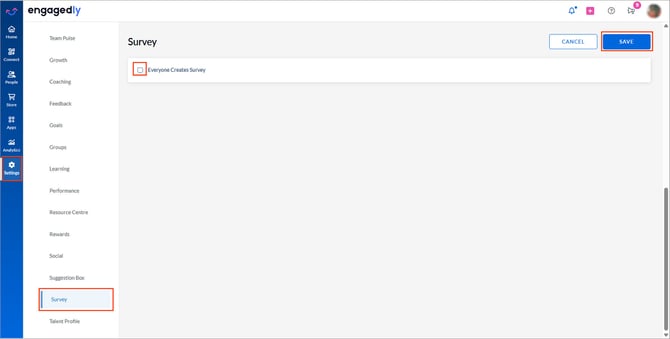
Admins can optionally allow all employees to create general surveys.
Navigate to Settings > Survey.
- Enable Everyone Creates Survey.
- Click SAVE at the top right.
Additional roles
Admins can assign the following roles to employees, allowing them to create and manage surveys.
- Survey Manager: Can create general surveys and perform all related actions.
- Engagement Survey Manager: Can create engagement surveys and perform all related actions.
For more information, refer to Add and manage roles and permissions.