![Engagedly dark.png]](https://help.engagedly.com/hs-fs/hubfs/Engagedly%20dark.png?height=31&name=Engagedly%20dark.png)
Only admins can convert individual goals to a top level (organization-wide) goal.
Navigate to Apps > Goals.
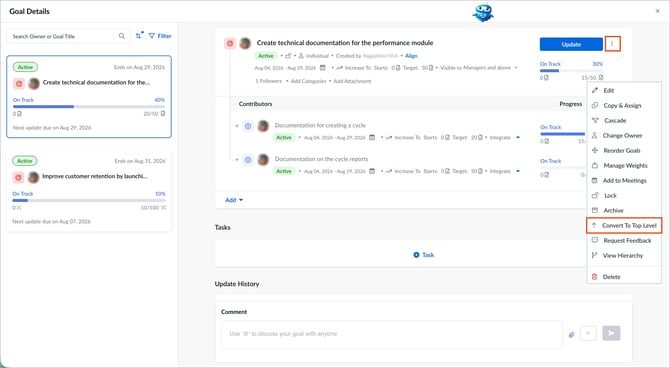
- Open the goal you want to modify.
- Click the Overflow
 Menu at the top right of a goal.
 - Select Convert To Top Level.
4. In the “Goal Level” drop-down, select the goal level you want to.
5. Click Save.