![Engagedly dark.png]](https://help.engagedly.com/hs-fs/hubfs/Engagedly%20dark.png?height=31&name=Engagedly%20dark.png)
Admins can define representative behaviors that describe observable actions for each competency level.
Add a representative behavior
Navigate to Settings > Talent Frameworks.
If you have an active subscription to Engagedly's Growth app, you can also access Talent Frameworks from Apps > Growth > Settings.
- Go to Competency Framework and ensure it is enabled.
- In the “Competency library” section, click Manage.
- Click Add Behavior next to a competency.
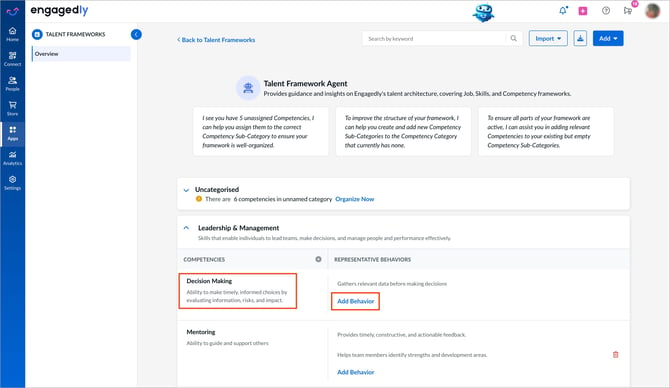
4. Enter the behavior and click the Tick  icon to save.
Manage a representative behavior
- Click a behavior to edit.
- After making edits, click the Tick icon to save.
- Hover over a behavior and click the Delete
 icon to remove it.