![Engagedly dark.png]](https://help.engagedly.com/hs-fs/hubfs/Engagedly%20dark.png?height=31&name=Engagedly%20dark.png)
Participants can join a meeting once they are added to it, ensuring they stay informed and engaged. Only the meeting organizer can conclude the meeting after it ends.
📒Note: The join option is not available for future or past meetings.
Navigate to Apps > Meetings > My Meetings.
- Select a meeting to open the “Meeting Details” page and perform one of the following as required.
Join meeting
The “Join” option is available on the meeting day.
2. Click Join at the top of the meeting details page to open the meeting platform.
Alternatively, on the “My Meetings” page, click Join next to a meeting to access it directly.
Conclude meeting
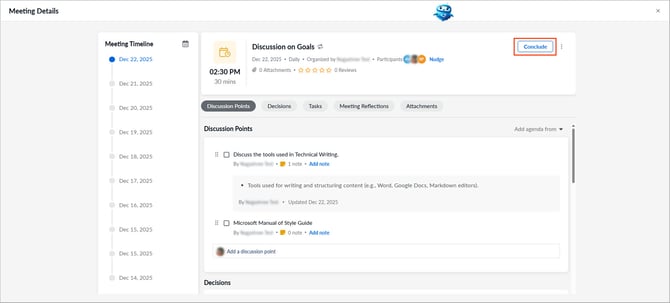
The “Conclude” option is available when the meeting starts.
Click Conclude at the top of the meeting details page.