![Engagedly dark.png]](https://help.engagedly.com/hs-fs/hubfs/Engagedly%20dark.png?height=31&name=Engagedly%20dark.png)
Join a Group
All employees can join Groups created in the organizations. You can join the following Groups:
- Interest Group
- Open Group
Interest Group
Employees can join any Interest Group in the organization without the permission of Group admins.
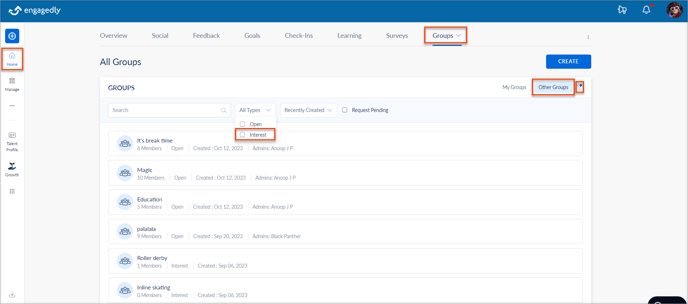
Navigate to Home > Groups.
- Click Other Groups and click the Filter
 Icon.
Icon. - Click All Types, select Interest, and select the Group you want to join.
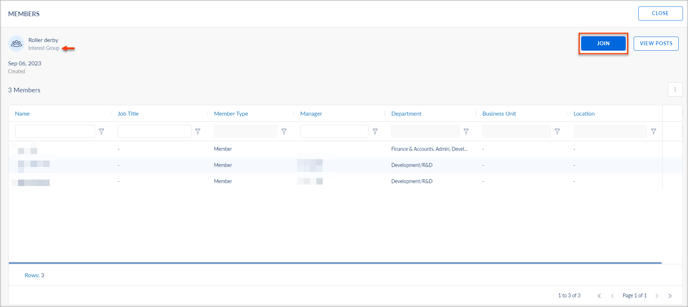
- Click JOIN.
Open Group
Employees can join any Open Group in the organization. They need to send a request to the Group admin to join an Open Group.
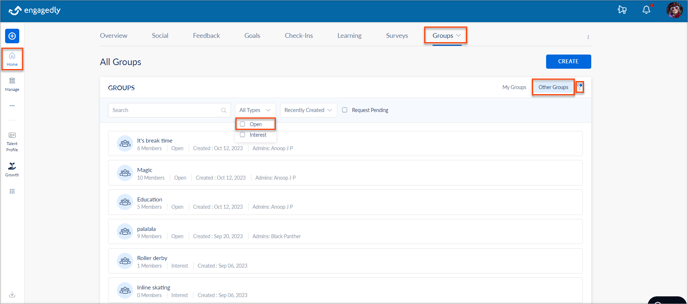
Navigate to Home > Groups.
- Click Other Groups and click the Filter Icon.
- Click All Types, select Open, and select the Group you want to join.
- Click JOIN.
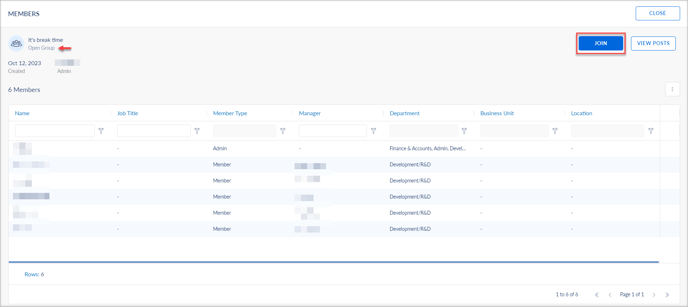
- If you want to cancel your sent request, click the Overflow
 Icon, select Cancel Request, and click CONFIRM.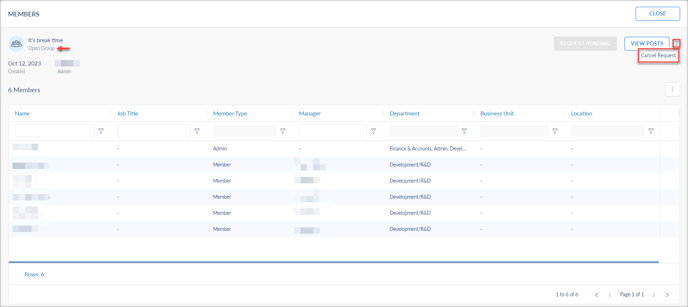
Note: You will be a member of the Open Group only when the Group admin approves your request.
Leave a Group
Participants can leave any Group at any time without permission from the Group admin.
Note: When the Group admin is required to leave the Group, they need to make other members as Group admins.
Navigate to Home > Groups.
- Click My Groups and select the Group you want to leave.
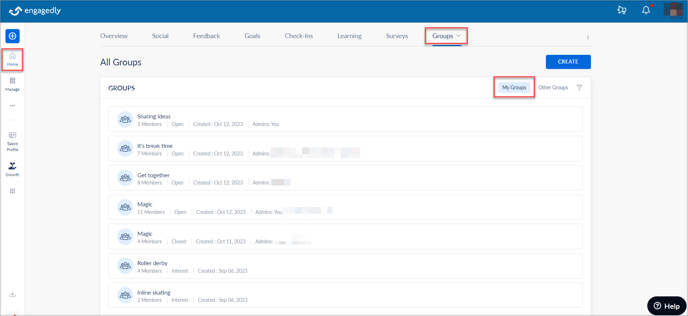
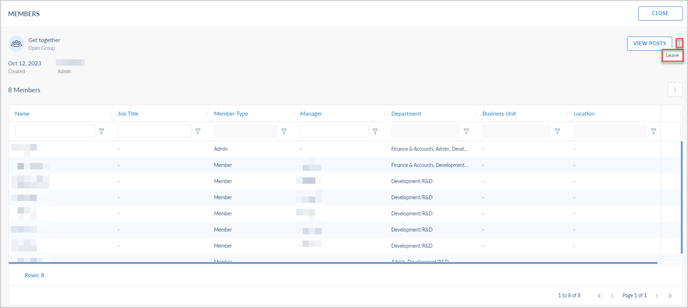
- Click the Overflow Menu Icon at the top right, select Leave, and click CONFIRM.