![Engagedly dark.png]](https://help.engagedly.com/hs-fs/hubfs/Engagedly%20dark.png?height=31&name=Engagedly%20dark.png)
After creating an exit survey, admins can manage it as required.
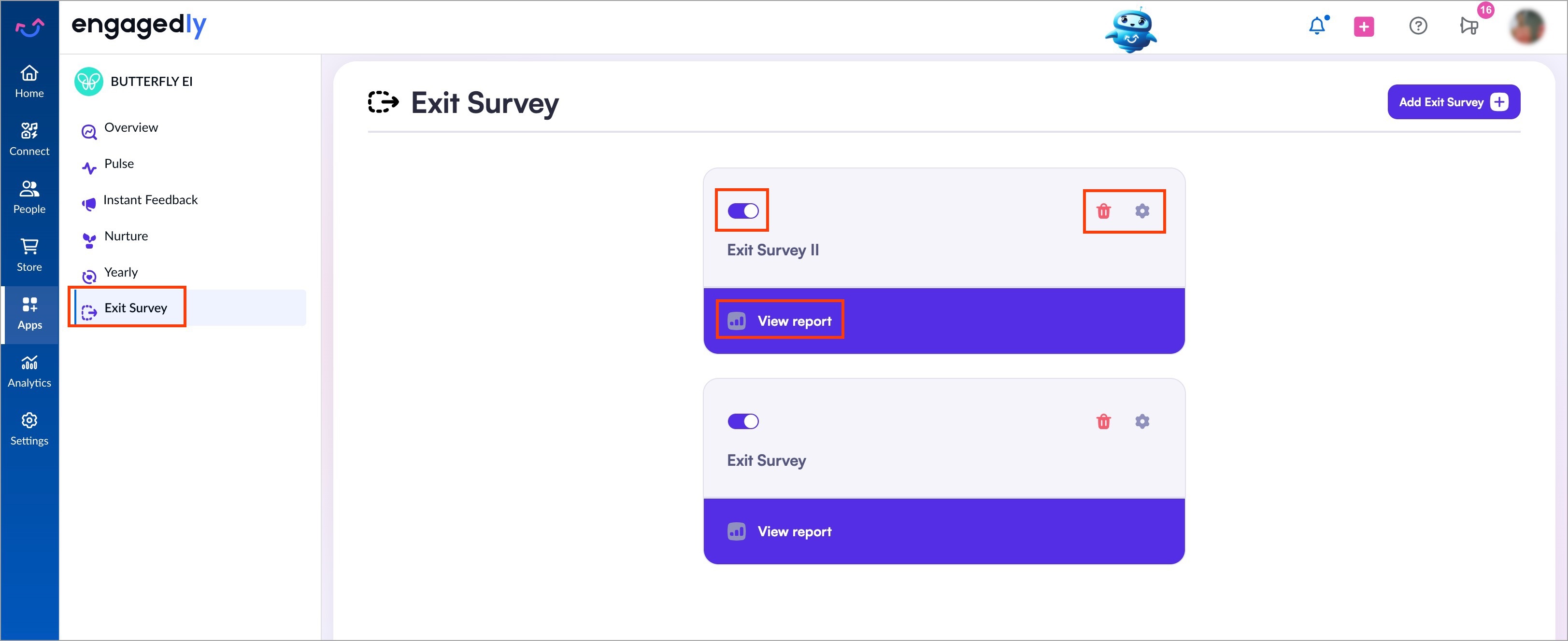
After creating, you can view each survey as a card.
Navigate to Apps > Butterfly EI > Exit Survey.
- On an exit survey card:
-
- Use the toggle to pause or activate the survey.
- Click the Delete
 icon to remove a yearly survey.
 - Click the Settings
 icon to edit the survey as required.
-
- Click Add Exit Survey at the top right to create another survey.
- Click View report to trigger the exit survey and add employees to it. For more information, refer to Add employees to the exit survey.