![Engagedly dark.png]](https://help.engagedly.com/hs-fs/hubfs/Engagedly%20dark.png?height=31&name=Engagedly%20dark.png)
The “My Reviews” dashboard is your landing page in the performance module. It provides a consolidated view of all your review activities, including pending actions, ongoing reviews, and past evaluations. Depending on your role and permissions, you may view the following sections.
Navigate to Apps > Performance > My Reviews.
Manager actions
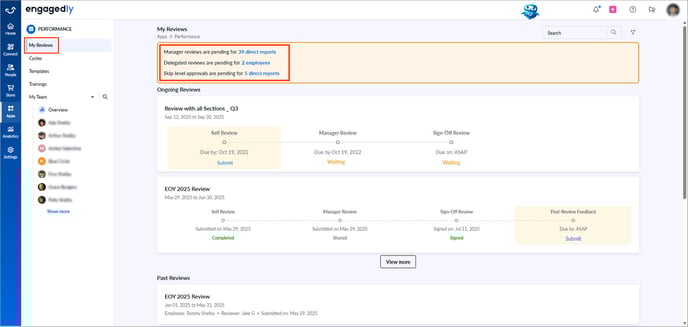
Managers view an expanded pending actions panel at the top of the dashboard.
This panel highlights all reviews that require your attention, whether you are a manager, skip-level reviewer, additional reviewer, or delegated reviewer.
Click an item to view a detailed breakdown and open the corresponding review form.
Ongoing reviews
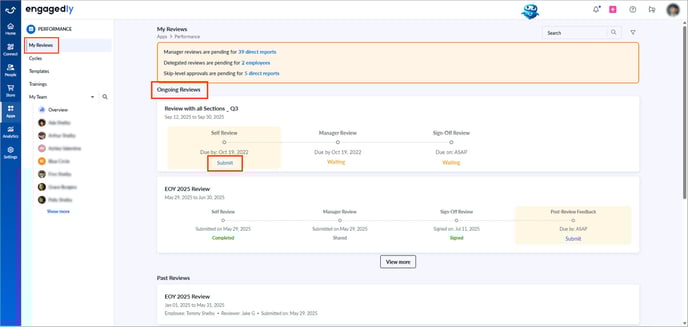
Displays all active performance review cycles you are part of. When a new review cycle launches, it appears here with your required actions. Your view differs based on your role. For example, employees complete self-reviews, and managers review their team’s submissions.
To complete a self-review, click Submit under “Ongoing Reviews” to open the review form. Learn more in Submit performance review.
Past reviews
Stores all previously completed review cycles. You can revisit them at any time. With Marissa AI, you can generate an instant summary or open the full review form for more information.
Hover over a cycle and click View to open the review form.