![Engagedly dark.png]](https://help.engagedly.com/hs-fs/hubfs/Engagedly%20dark.png?height=31&name=Engagedly%20dark.png)
The organizer and participants can nudge other participants to contribute by adding discussion points, sharing meeting reflections, attaching relevant files, and submitting reviews. Nudging serves as a gentle reminder to keep meetings structured and collaborative.
Navigate to Apps > Meetings > My Meetings.
- Select a meeting to open the “Meeting Details” page.
- Click Nudge at the top (next to the participant list).
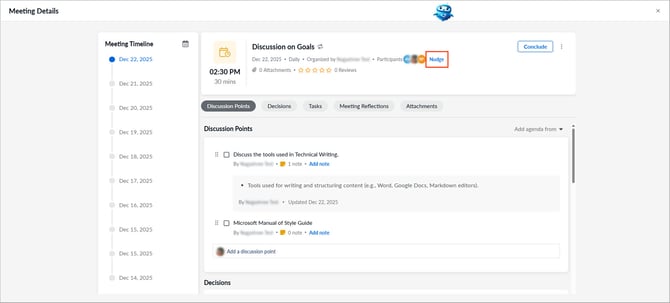
3. Click the drop-down and select an individual participant or all participants.
4. Enter your comments and click Nudge.
📒Note: You can only nudge participants who are added to the meeting.