![Engagedly dark.png]](https://help.engagedly.com/hs-fs/hubfs/Engagedly%20dark.png?height=31&name=Engagedly%20dark.png)
Navigate to Apps > Rewards.
- On the “My Rewards” page, click the Download
 icon at the top right.
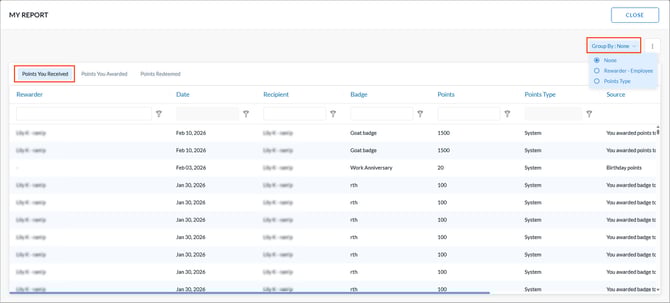
 - Open the Points You Received tab.
- Open the Group By filter and select Rewarder - Employee or Points Type (such as Tango, Custom, or Switchfly) to group redemption requests based on the type of request.
- Click the Overflow
 Menu at the top right and select Export.