Navigate to Apps > Rewards.
- On the “My Rewards” page, click the Download
 icon at the top right.
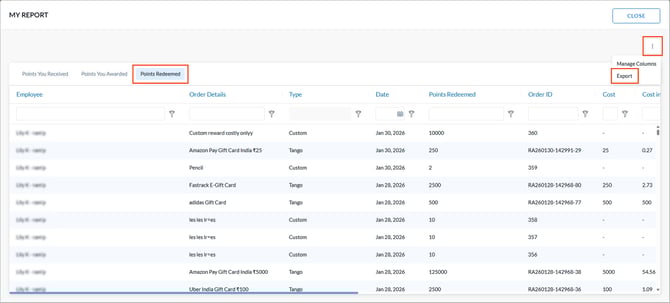
 - Open the Points Redeemed tab.
- Click the Overflow
 Menu at the top right and select Export.
![Engagedly dark.png]](https://help.engagedly.com/hs-fs/hubfs/Engagedly%20dark.png?height=31&name=Engagedly%20dark.png)
Navigate to Apps > Rewards.
icon at the top right. Menu at the top right and select Export.