![Engagedly dark.png]](https://help.engagedly.com/hs-fs/hubfs/Engagedly%20dark.png?height=31&name=Engagedly%20dark.png)
You can add files and folders to Resources that will be available for the entire organization.
Note: Only the admins can add files and folders and can manage them in Resources.
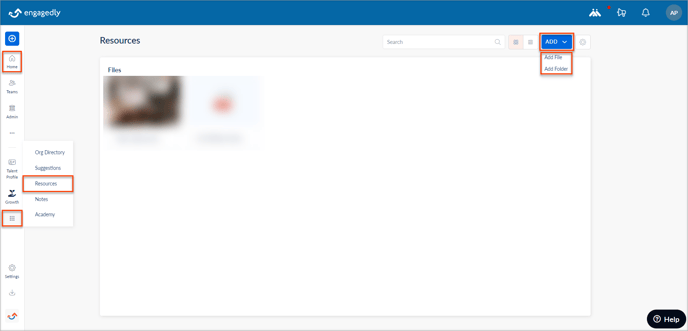
Navigate to Home > Candy box > Resources.
Add a file
- Click the ADD drop-down menu.
- Select Add file, browse, and select the file from your computer to upload.
Add a folder
- Click the ADD drop-down menu.
- Select Add Folder, in the CREATE window, type the Folder Name, and click CREATE.
