![Engagedly dark.png]](https://help.engagedly.com/hs-fs/hubfs/Engagedly%20dark.png?height=31&name=Engagedly%20dark.png)
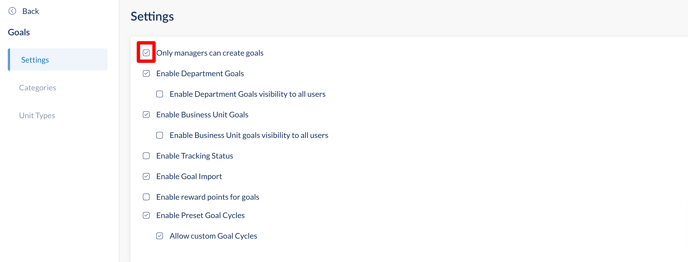
Once these settings are enabled, only managers and admins can create goals in the organization. It hides all the actions for employees to create goals.
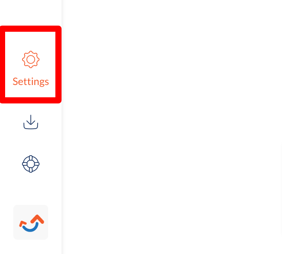
Step 1: Click on the Settings in the bottom-left corner of the screen.
Step 2: Under the Engagedly Apps, click on Goals.
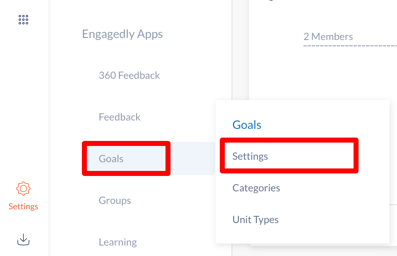
Step 3: Under Goals, go to Settings. Mark only managers can create goals as selected to enable the settings.