![Engagedly dark.png]](https://help.engagedly.com/hs-fs/hubfs/Engagedly%20dark.png?height=31&name=Engagedly%20dark.png)
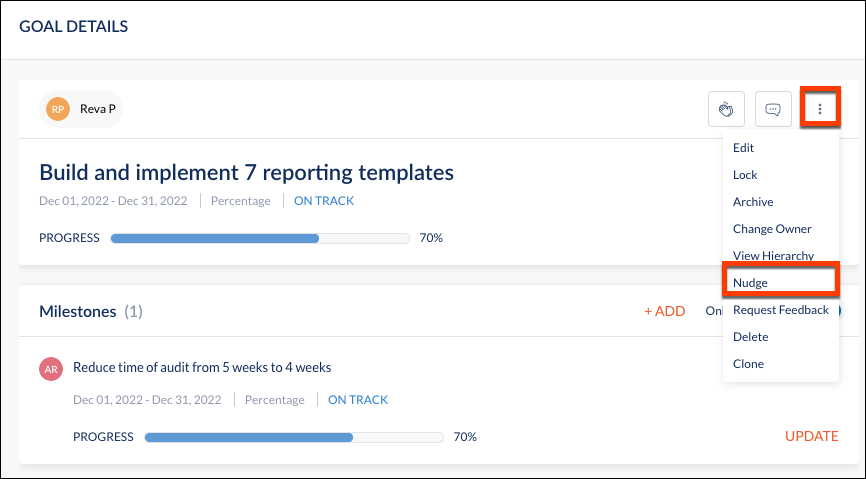
Managers can nudge the team members from the Goal Details page to update their goal progress.
Navigate to Teams > Goals > My Team Goals
Step 1: In the left column, select Teams. Next, go to the Goals module. Under goals, select My Team Goals.
Step 2: Under My Team Goals, select the owner with a goal.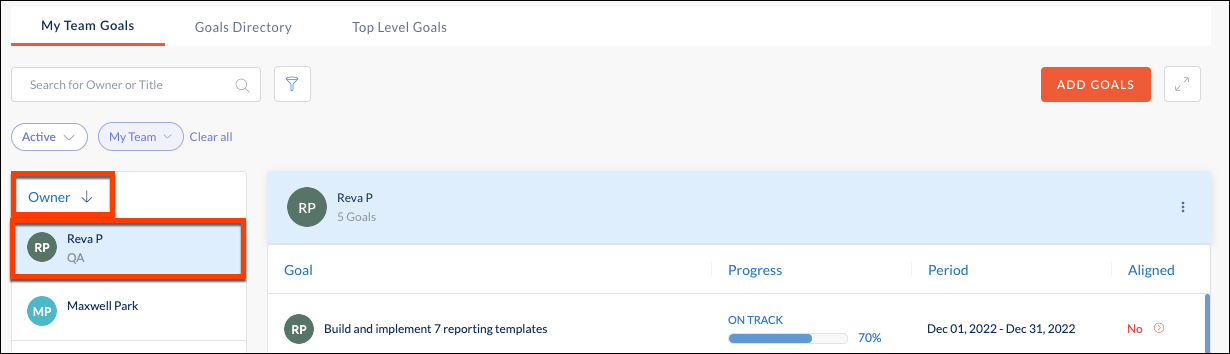
Step 3: From the Goal Details page, click the overflow menu in the top right corner and select Nudge from the dropdown.