![Engagedly dark.png]](https://help.engagedly.com/hs-fs/hubfs/Engagedly%20dark.png?height=31&name=Engagedly%20dark.png)
Admins can nudge managers about the pending courses of their teams.
Follow the below steps to nudge managers:
Step 1: Navigate to Admin > Learning.
Step 2: Go to the Dashboard section to view the list of teams under “STATS”.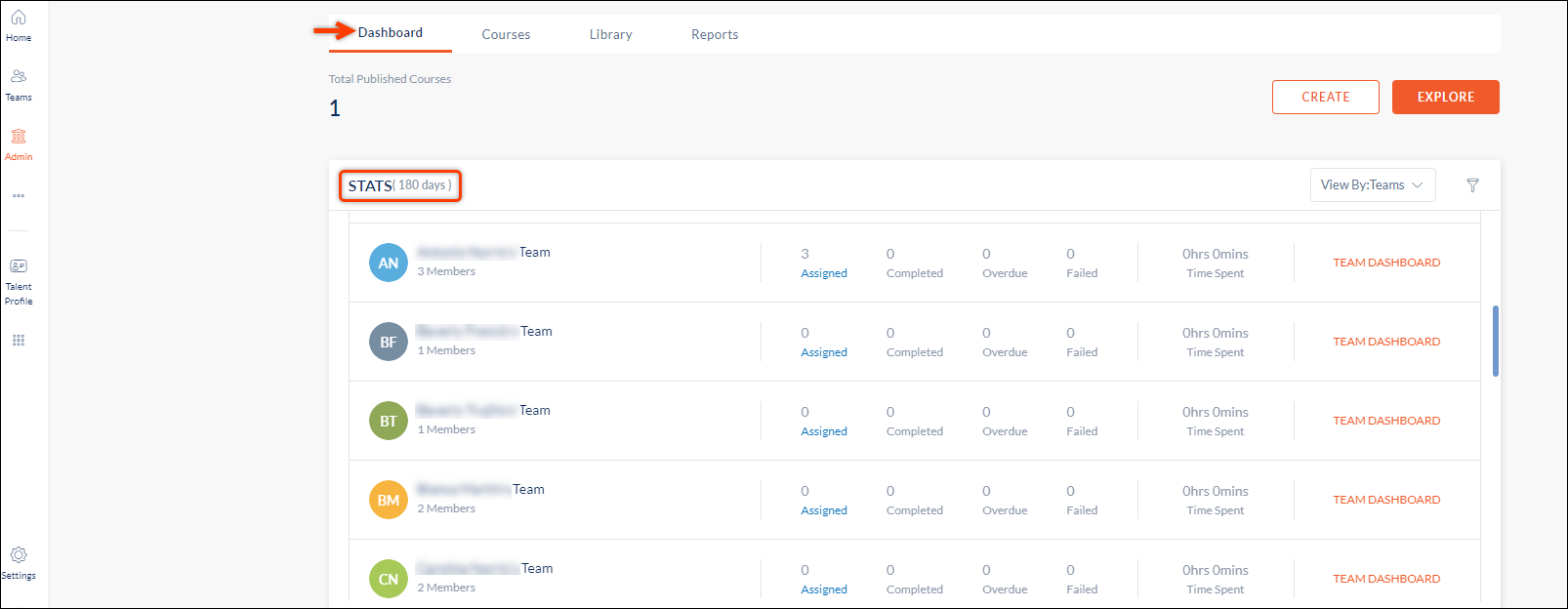
Step 3: Hover over the Team's list to see the bell icon.
Step 4: Click the Bell  Icon next to the manager you want to nudge.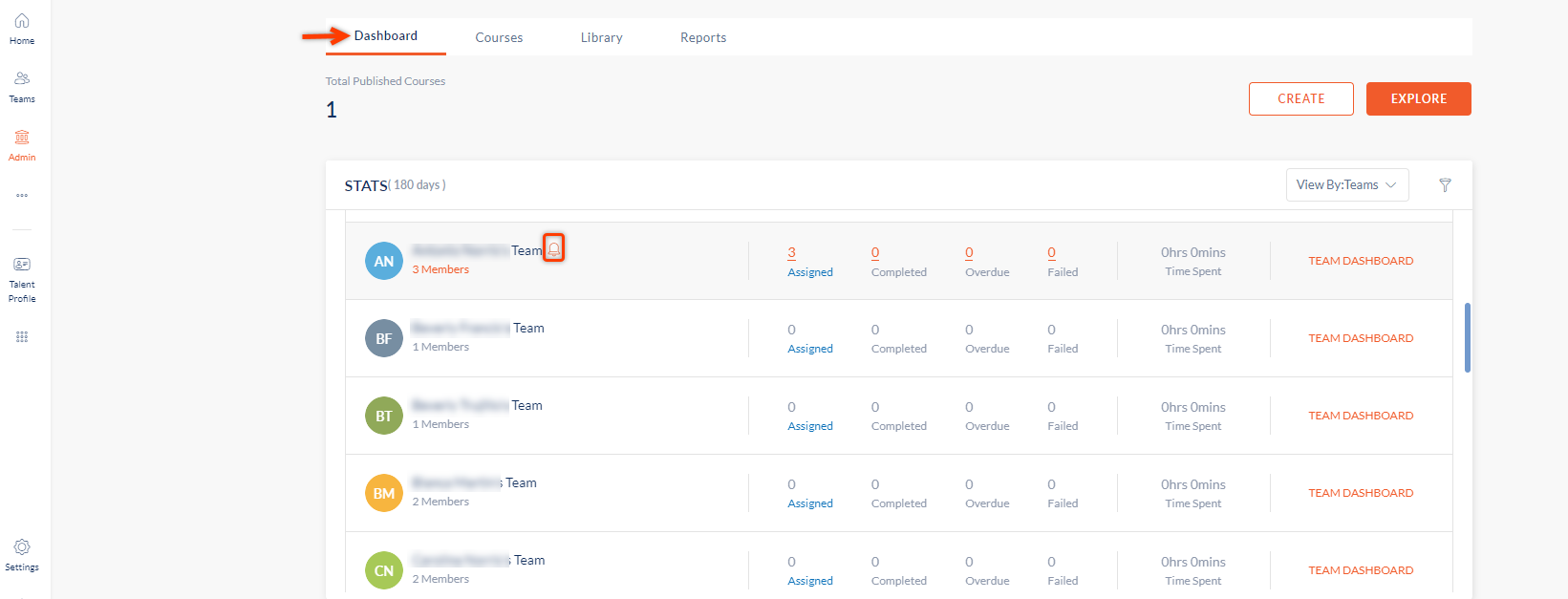
Step 5: The "Nudge" window opens. Type your nudge message and click CONFIRM.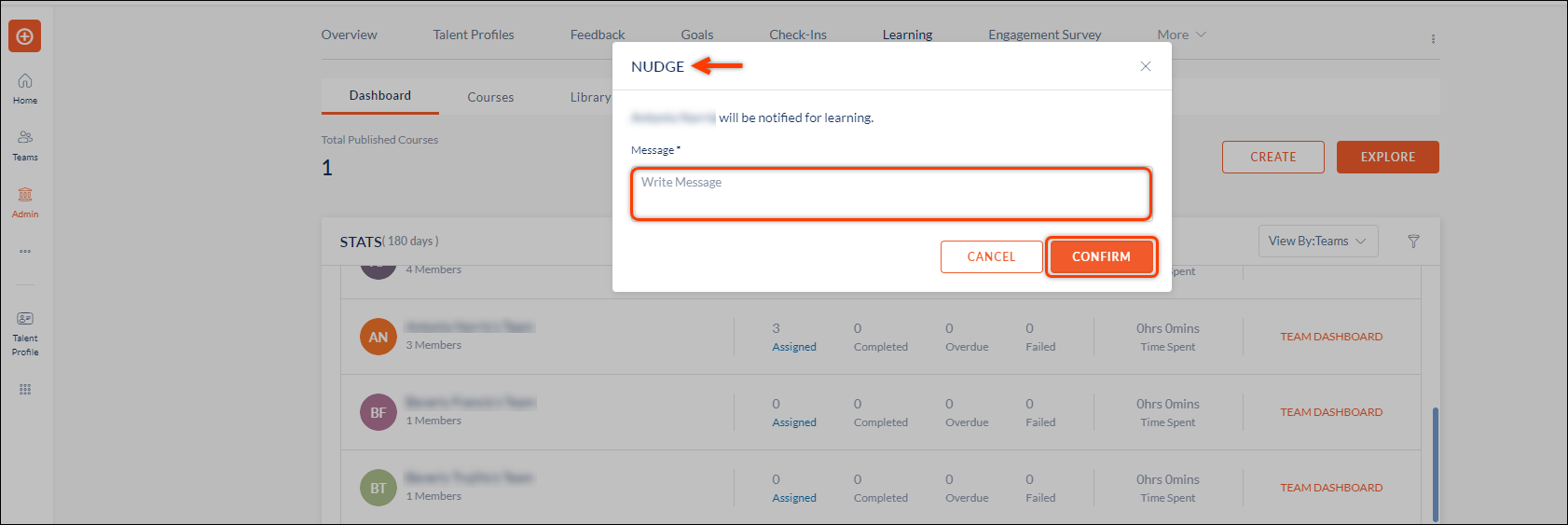
Note: Managers are now notified about the pending courses of their team.