![Engagedly dark.png]](https://help.engagedly.com/hs-fs/hubfs/Engagedly%20dark.png?height=31&name=Engagedly%20dark.png)
As a group admin, you can:
- Edit and delete the group.
- Add participants to the group.
- Make the other participants group admin.
- Remove participants from the group.
Learn more about Add and manage members in a group.
Note: Admins can also manage the group activities.
Manage the group
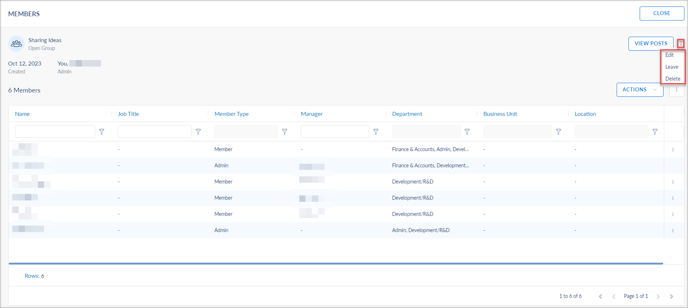
After creating a group, manage it if required. Only group admins can edit or delete the group.
Navigate to Home > Groups.
- Click My Groups and select a group.
- Click the Overflow
 Menu at the top right.
 - Select the following as required:
-
- Edit: Update the group title and description.
- Leave: Leave the group.
- Delete: Remove the group.
Make others as group admin
Group admins can make the other participants group admins in open or closed groups.
Navigate to Home > Groups.
- Click My Group and select the group for which you want to make the participants admins.
- Click the Overflow Menu at the right, select Mark as Admin, and click CONFIRM.