![Engagedly dark.png]](https://help.engagedly.com/hs-fs/hubfs/Engagedly%20dark.png?height=31&name=Engagedly%20dark.png)
After marking the IDP as complete, employees can reactivate it, add milestones, and resume working on it.
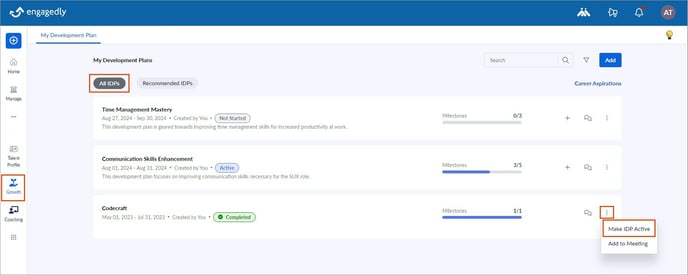
Navigate to Growth on the left pane.
- In the All IDPs tab, click the Overflow
 Menu for a completed IDP.
 - Select Make IDP Active.
Note: You cannot add milestones to a completed IDP. However, you can add milestones after making the IDP active.