![Engagedly dark.png]](https://help.engagedly.com/hs-fs/hubfs/Engagedly%20dark.png?height=31&name=Engagedly%20dark.png)
Managers can view and export the reward reports of their direct reports or the secondary team if any.
Navigate to Rewards > Reports.
- Click the My Team drop-down and select a team as required.
You can filter reports by Rewarder - Employee and Recipient - Employee.
2. In the Points Awarded tab, click the Group By drop-down and select the option as required.
3. Click the Overflow  Menu at the top right and select Export to download the report.
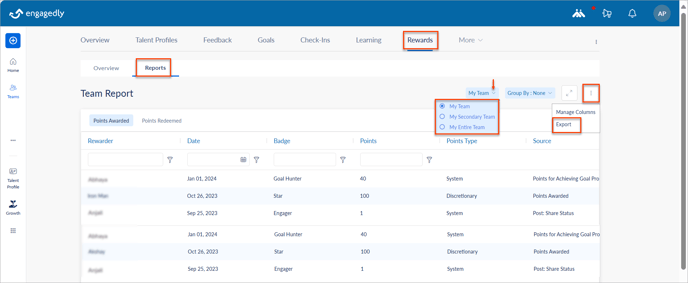
You can export the team report from any tab as required.