![Engagedly dark.png]](https://help.engagedly.com/hs-fs/hubfs/Engagedly%20dark.png?height=31&name=Engagedly%20dark.png)
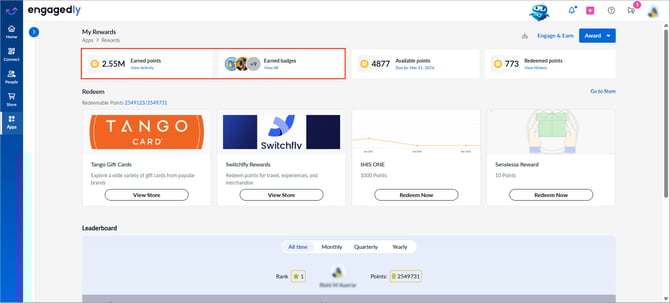
View the total points and badges you have earned and track your reward activity.
Navigate to Apps > Rewards.
- On the “My Rewards” page, view the consolidated count of:
- Earned points: Displays the total number of points you earned.
Click View Activity to access the points you earned for each badge.
- Earned badges: Shows the total number of badges you earned.
Click View All to access your badges and their associated points.
Click the Certificate icon to view and save your reward certificate.
- Available points: Displays the number of points available to award peers.
Click Due by to award points. Learn more in Award points.